
Who decides what on a client website is the question hiding under every “small change.”
If the answer is unclear, everything slows down.
Approvals stall.
Stakeholders fight.
And when results shift, blame spreads.
This is part of the bigger system:
client website governance for agencies
Why This Question Causes So Much Chaos

Agencies get stuck when access is treated like authority.
Someone can edit.
So everyone assumes they can decide.
Then a real decision shows up.
A headline change that alters positioning.
A layout change that affects conversion.
A tracking change that affects attribution.
And suddenly nobody wants to own the “yes.”
That’s the moment where work stops.
Or worse.
Work ships without a real decision behind it.
Decision Authority vs Execution Authority
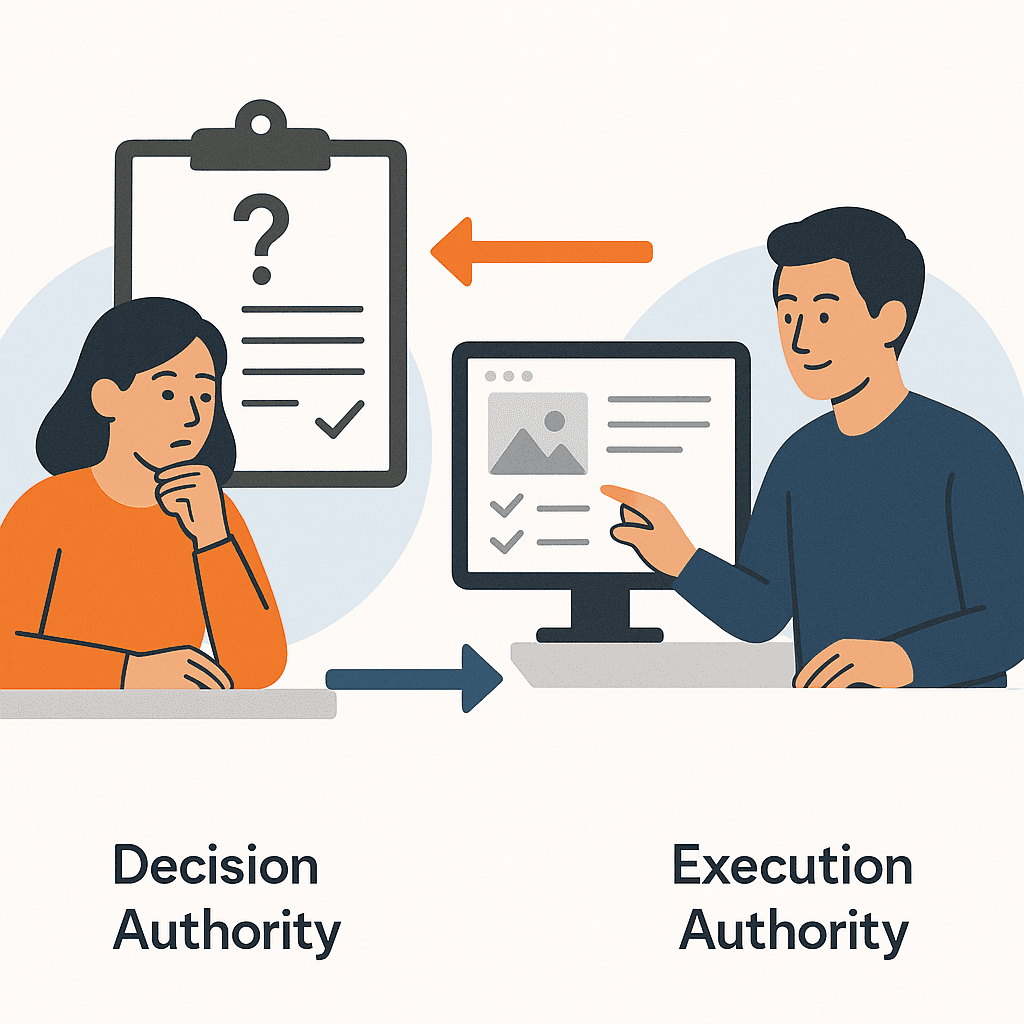
Decision authority is the right to choose the outcome.
Execution authority is the right to implement the outcome.
They are not the same.
Confusing them is how agencies end up blamed for decisions they didn’t make.
A quick example from performance work
Your ads are working.
People are clicking.
But the page isn’t converting.
You propose a layout change.
Two stakeholders disagree.
One wants more brand story.
One wants fewer distractions.
If nobody owns the decision, you can’t ship.
And the campaign keeps bleeding.
A Simple Decision-Rights Map (Agencies Can Use)

You don’t need a perfect map.
You need a usable one.
Start with categories that show up every month.
Then assign a default decision owner for each category.
| Change type | What it impacts | Default decision owner | Typical approval requirement |
|---|---|---|---|
| Brand and messaging changes | Positioning, trust, consistency | Client brand owner (or named delegate) | Explicit sign-off for medium/high risk changes |
| Conversion and layout changes | Conversion rate, user flow | Agency performance lead (within boundaries) | Fast path if low risk; escalation if it changes core messaging |
| Legal and compliance-sensitive changes | Claims, disclosures, obligations | Client legal/compliance owner | Always explicit sign-off; agency should not be final approver |
| Tracking and measurement changes | Attribution, reporting, optimization | Agency analytics owner + client visibility | Sign-off when it affects how success is measured |
This map does two things immediately:
It removes debate.
And it makes “not in scope” cleaner.
Because you’re not arguing about effort.
You’re clarifying decision responsibility.
Brand and messaging changes
Messaging isn’t “just copy.”
It changes what the business is claiming.
That should have a clear client owner.
Conversion and layout changes
Agencies can often own these decisions.
But only inside pre-approved boundaries.
If you don’t have boundaries yet, start with:
Website Ownership vs Access: Client–Agency Boundary
Legal and compliance-sensitive changes
If a change touches legal claims, the agency should not be the final approver.
You can propose.
You can implement.
But the decision must sit with the client.
Tracking and measurement changes
These changes can create “success confusion.”
If tracking shifts, performance may look worse or better overnight.
So tracking decisions need explicit ownership.
And basic visibility.
If you need the operational layer that prevents “what changed?” moments, use:
website change management for agencies
Approval Tiers That Don’t Create Bottlenecks

Decision rights tell you who decides.
Approval tiers tell you how fast the decision can happen.
Here’s a simple flow you can adopt without adding bureaucracy.
If you want the full approval model and sign-off rules, use:
Lightweight Approval Workflows for Website Changes
When Stakeholders Disagree: Pick a Tie-Breaker

Disagreement is normal.
The problem isn’t disagreement.
The problem is a missing tie-breaker.
Pick one role that can make the final call.
Then define what they optimize for:
- Performance outcome
- Brand consistency
- Risk reduction
- Time to ship
And record the decision so it can’t be “unapproved” after the fact.
If you need the full disagreement playbook, use:
When Stakeholders Disagree About a Website Change
For a credible external baseline on escalation and role clarity, this is a useful reference:
NIST guidance on incident response roles and escalation
And for change control fundamentals:
U.S. government guide on configuration and change control
Getting Started: Build a Decision-Rights Map in 30 Minutes

This doesn’t need to be perfect.
It needs to be used.
Build a decision-rights map in 30 minutes
- List common change types: Messaging, layout, tracking, legal-sensitive, navigation, pricing, forms.
- Assign a default decision owner: One named role per change type.
- Define approval tiers: Low/medium/high risk with one clear rule per tier.
- Pick the tie-breaker: Decide who makes the final call when owners disagree.
- Choose where decisions are recorded: One place your team can find later.
- Use it on the next request: Route one real change through the map and adjust the categories after.